The My Default View section in Orangescrum Cloud allows every user to choose how they want to visualize their work — whether as a list, card, or board view.
By setting default views, you save time switching between layouts and create a personalized workspace that matches your workflow.
Customize your task, project, and time log views to focus on what matters most — productivity and clarity.
View Options
You can set default views for the following modules:
| Module | Available Views | Description |
| Tasks | List / Kanban / Calendar | Choose how you want tasks to appear by default. The List View provides structured details, while Kanban gives a drag-and-drop visual workflow. |
| Time Log | List / Weekly | View logged hours in a simple list or weekly breakdown. Perfect for tracking time across days or projects. |
| Projects | Card / List | Display your projects as Cards for quick summaries, or as a List for a more detailed view. |
How to Set Your Default Views
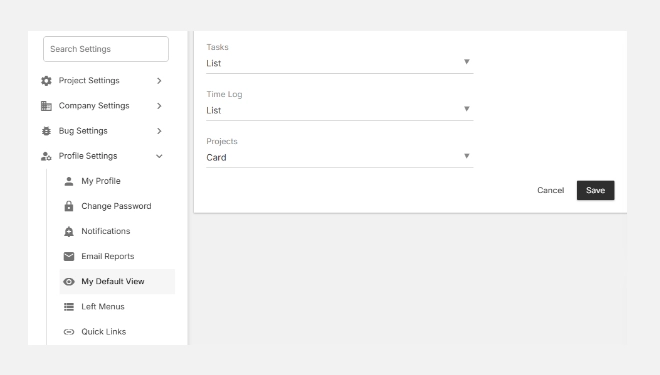
- Go to Settings → Profile Settings → My Default View.
- Select your preferred layout for each module — Tasks, Time Log, and Projects.
- Click Save to apply your preferences.
Benefits of Custom Default Views
✅ Saves Time: Skip switching layouts every time you log in.
✅ Improves Focus: Work in the format that best fits your role — list for details, cards for visual flow.
✅ Boosts Productivity: Each team member can tailor their workspace to their personal workflow style.
With “My Default View” in Orangescrum Cloud, you control how your workspace looks — ensuring every session starts exactly the way you like it.