Bug Resolution in Orangescrum Cloud represents the final status or action taken on a reported issue.
It helps your team record how each bug was handled — whether it was fixed, rejected, duplicated, or could not be reproduced.
This setting brings clarity to your QA cycle and enables better reporting on software quality and resolution trends.
Example: A bug marked as Fixed indicates it has been resolved, while Duplicate shows that a similar issue already exists in the tracker.
Why Use Bug Resolution
- Clarify outcomes: Record the final result of every issue.
- Enhance reporting: Filter and analyze resolved, duplicate, or invalid bugs.
- Track QA efficiency: Understand how many bugs are successfully fixed versus deferred.
- Reduce confusion: Maintain transparency on why an issue was closed.
Accessing Bug Resolution Settings
- Navigate to Settings → Bug Settings → Resolution.
- You’ll see a predefined list such as Fixed, Duplicate, Will Not Fix, Can Not Reproduce, Not an Issue, and N/A.
- You can add, edit, or remove resolutions to align with your internal QA process.
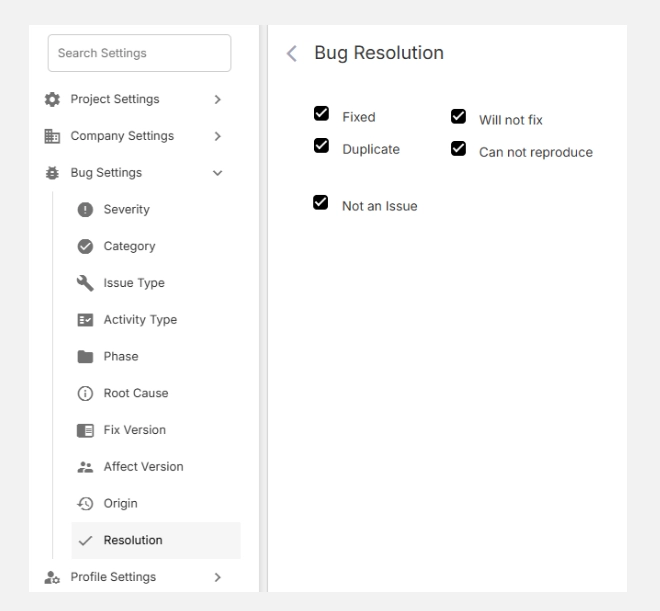
Common Bug Resolution Types
| Resolution | Description |
| Fixed | The bug has been successfully corrected and verified. |
| Duplicate | The bug is already reported in another ticket. |
| Will Not Fix | The issue is acknowledged but won’t be fixed (low impact or outside scope). |
| Can Not Reproduce | QA could not replicate the bug based on current data. |
| Not an Issue | The reported behavior is intentional or not a defect. |
| N/A (Not Applicable) | The bug report was invalid or no longer relevant. |
Tip: Standardizing resolutions helps your reporting stay accurate across multiple projects and releases.
Adding a New Bug Resolution
- Click + New Bug Resolution (top-right corner).
- Enter a clear, descriptive Resolution Name (e.g., Deferred, Won’t Fix in Current Version).
- Click Add to save it.
- The new option will be available for selection when updating a bug’s status.
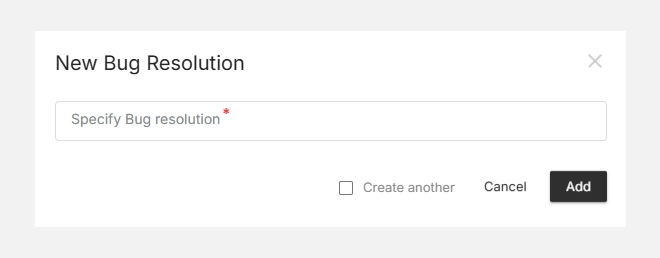
Editing or Deleting Resolutions
- To Edit, click the icon next to a resolution.
- To Delete, click the icon to remove outdated options.
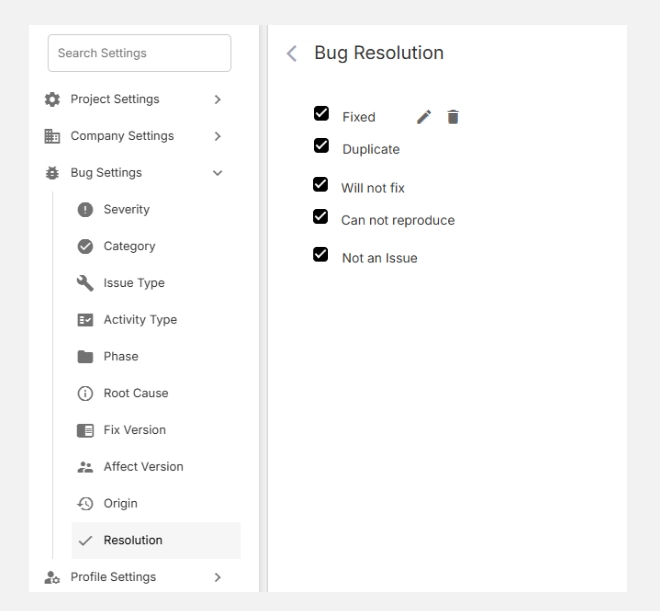
Note: Removing a resolution does not delete existing bugs but unlinks that resolution type from future records.