Bug Root Cause in Orangescrum Cloud helps teams record and analyze the fundamental reason behind a bug’s occurrence — not just its symptoms.
By identifying why a defect was introduced (e.g., missing validation, unclear requirements, or configuration errors), teams can implement corrective actions to prevent similar issues in future releases.
Example: If a bug’s root cause is “Requirement Misinterpretation,” the corrective action could be improving requirement review and clarification meetings before development begins.
Why Use Root Cause Analysis
- Discover patterns: Identify recurring causes of defects across modules or teams.
- Improve processes: Strengthen QA, design, and development practices based on insights.
- Enhance reporting: Classify bugs by cause to track and reduce defect leakage.
- Prevent recurrence: Turn reactive debugging into proactive quality improvement.
Accessing Bug Root Cause Settings
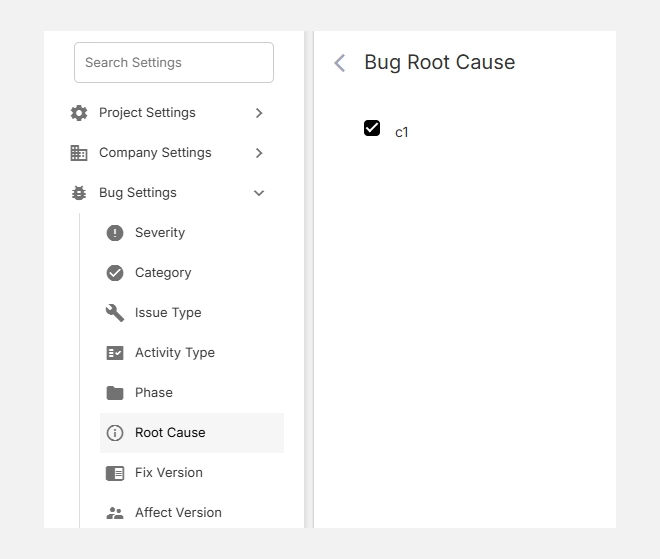
- Go to Settings → Bug Settings → Root Cause.
- The list shows all existing root causes configured in your workspace.
- You can add new ones or edit/remove existing items at any time.
Common Examples of Root Causes
| Root Cause | Description | Example |
| Requirement Gap | Missing or misunderstood requirements. | Feature logic unclear in PRD. |
| Design Flaw | Poor architecture or design approach. | Missing error handling flow. |
| Coding Error | Incorrect logic or syntax. | Null pointer exception in Java. |
| Integration Issue | Misaligned APIs or incompatible modules. | Data mismatch between modules. |
| Testing Coverage Gap | Missed edge cases or incomplete testing. | Feature passed unit tests but failed in regression. |
| Configuration Error | Incorrect environment or deployment setup. | Wrong API keys in staging environment. |
Tip: You can customize root cause categories based on your industry or workflow — for instance, add Data Error, Third-Party Dependency, or Human Error as needed.
Adding a New Root Cause
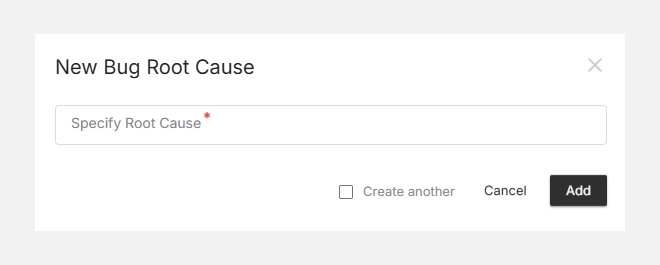
- Click + New Root Cause (top-right corner).
- Enter a descriptive Root Cause Name (e.g., Requirement Gap, Configuration Error).
- Click Add to save it.
- The new cause will appear in your list and can be selected during bug reporting or analysis.
Editing or Deleting a Root Cause
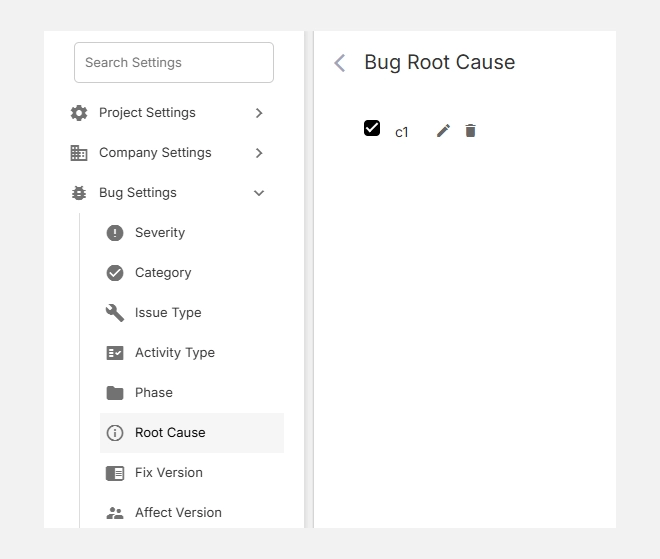
- To Edit, click the icon beside an existing cause.
- To Delete, click the icon if the cause is no longer relevant.
- Deletion will unassign the cause from existing issues but keep the records intact.
Bug Root Cause in Orangescrum Cloud transforms your defect tracking into a learning process — helping your teams identify, analyze, and eliminate the real reasons behind recurring issues.